

Visual timer or visual schedule: which do you need?
If the question is ‘How long do I keep going?’, a timer offers a time cue. If it is ‘What do I do next?’, pictures can show the sequence. For a morning routine, a schedule might show get dressed, breakfast, brush teeth and shoes on. Only some steps need a timer.
A first-then board is a short, two-part sequence: first this activity, then that one. Lickety Split’s routines use Now and Next cards and a Finished pocket. Keep a first-then sequence understandable; it need not turn the second activity into a prize for the first.
Teach a small picture routine together
- Choose a familiar part of the day and two manageable activities. Use pictures your child recognizes.
- Point to the current picture and say what it means: ‘Now we get dressed. Next is breakfast.’
- Help with the activity and demonstrate moving the finished card. A picture alone is not an instruction your child automatically understands.
- Let your child put away a completed card, then look at the next one together. Gradually offer less help as the sequence becomes familiar.
- Add more steps only when useful. If the plan changes, explain the change; give help rather than treating an unfinished plan as failure.
Build a morning or bedtime schedule in Lickety Split
A parent can create an ordered routine from built-in tasks and the family’s own tasks. ‘Shoes on’ can have its own name, one of 36 everyday pictures and a recorded prompt. Each step can have its own character and song. The routine appears in My day; one routine can also be pinned to Home.
For bedtime, try PJs On, Brush Teeth and Reading Time. Beat the Timer asks the child to finish before the music ends; Count Down asks them to keep going until the song ends. Choose a goal and song length that fit the activity, with help available.
Finished, tried and skipped mean different things
A successful timer ending completes a routine step automatically. A duck ending leaves the same step unfinished for another try. If the activity is already done, choose Done without timer. Skip moves on without a completion tick. The Finished pocket and the closing character scene reflect completed steps, rather than pretending every step was finished.
My day adds one-off and weekday-repeat plans in a week or month calendar. Change one date without changing the repeat, or acknowledge a routine done elsewhere. Empty calendar days are not failures, and the app sends no scheduled reminders.
Use paper cards and the timer together
The web app can print picture cards for a routine or plan. Put a small paper sequence by the sink or door, and use the musical timer for one step on a phone or tablet. Printed cards do not change the app’s progress. The printable checklist below is a small example to discuss together.
What research on picture schedules can tell us
Visual supports, including picture schedules, are an evidence-based practice in autism education. That finding concerns the wider practice, rather than a test of Lickety Split. Choose meaningful pictures and teach the schedule with an adult’s support. National Clearinghouse on Autism Evidence and Practice, UNC
Picture routines can also be useful outside an autism diagnosis. Observe what your child understands and finds helpful. A schedule or timer does not guarantee easier transitions; sensory preferences, the activity itself and practical help still matter.
Lickety Split
Try two pictures and one timer
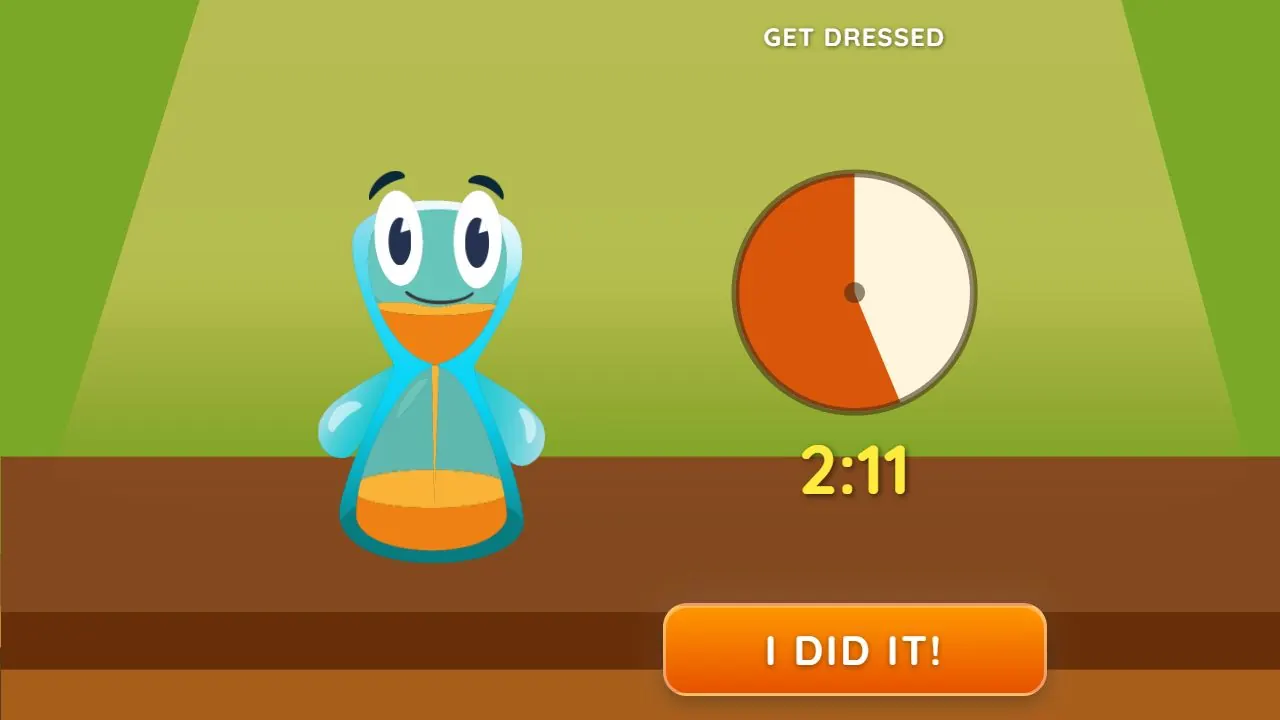
Make a short routine: Get Dressed, then breakfast. Point to each picture before starting. Use the Get Dressed timer if it suits your child, offer help with sleeves and fasteners, and move the card only when dressing is finished. The picture sequence answers ‘What next?’ while the timer answers ‘How is time passing?’
Words to try
“Now we get dressed. Next is breakfast. I can help with your sleeves.”
Sources and further reading
Related guides
Intrinsic motivation, reflection and small goals for kids
How Lickety Split approaches intrinsic motivation and a growth mindset through choices, manageable goals, family reflection and music practice.
How to help kids get dressed and out the door
Try prepared clothes, one clear step and music with visual progress for getting dressed. Find a song and length that suit your child’s morning routine.
A children’s bedtime routine: pyjamas, teeth and reading
Make the next bedtime step clear with prepared pyjamas, brushing together and reading. Choose musical or visual cues that suit your child.