

Start with a clear routine and paired time cues
CDC guidance recommends consistent routines, brief directions and breaking complicated tasks into smaller steps. These are useful foundations when considering a timer. CDC
- Make the next action visible: a shirt laid out, one toy basket, or a ready toothbrush.
- Give one clear instruction: “Put these blocks in this box.”
- Agree on a realistic goal and offer help with any difficult part.
- Introduce the cue: explain the music, visual progress and ending before starting.
- Notice effort and review what helped. Change the goal or cue rather than simply making the deadline tighter.
If starting is the hardest part
Start the first action together. A timer cannot choose the starting point or find the missing equipment. Put the materials nearby and say, “I’ll do the first one with you.”
If your child loses track of the next step
A short checklist can show the order while the timer marks one activity. Avoid asking the child to remember a long list while also watching a clock. For dressing, move from shirt to trousers to shoes with help as needed.
Does music help children with ADHD focus?
CDC notes that some children work well with background music, while other children need distractions reduced. Watch what works for your child. CDC
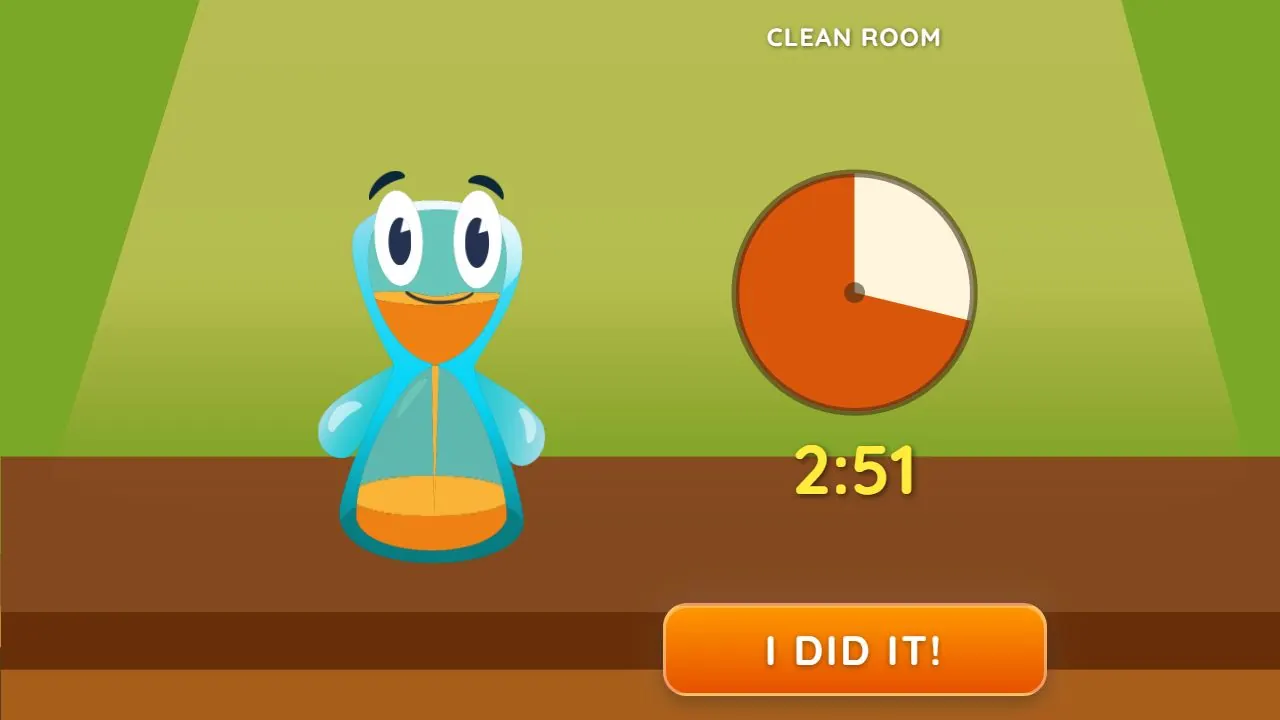
In Lickety Split, the song and animated timer show the same passage of time in two ways. Your child can hear the cue while looking at the task, then check the pictures for progress. The music speeds up as time runs out. Try the task together and notice which song and pace help your child follow along.
Find a song and length that feel right
We tested and selected the task songs to make everyday routines playful and encouraging, rather than pressuring, for most children. Every child is different. Listen together and notice which music and pace feel right for your child.
To use a favorite, choose Your Song, Your Length (Custom Song in older versions of the app) in either timer menu and pick a song stored on your device. Choose one with a length that suits the task; the song’s own length becomes the timer, and the visual timer follows along. Use it in the iPhone or Android app, or in a browser on Android. On iPhone, use the installed app to choose your own song.
What a timer can offer
A timer makes a time cue available outside the child’s memory. It does not teach every part of a routine or replace ADHD care. We have not identified a published clinical evaluation of Lickety Split, and do not claim that it treats ADHD or reduces time blindness.
The app is designed for all kids’ everyday routines. Music and visual progress make abstract time cues more concrete; children with ADHD and autistic children can find those same cues especially helpful. Work together to choose a song, length and manageable task that suit your family.
Lickety Split
Try one cleanup job with music and visuals
Choose Beat the Timer, then Clean Room, and agree that this round means putting the toy cars in their basket. Show the first action, offer help and let the song and visual timer carry the time cue together. If the duck joins in at the end, share the playful moment and look forward to another try. Use Your Song, Your Length for a favorite song and a pace your child enjoys.
Words to try
“Our job is these cars in their basket. I’ll put the first one away with you.”
Sources and further reading
Related guides

How to help kids clean up toys and tidy their room
Turn “clean your room” into one manageable job. Try a clear sorting target, a grown-up’s first example and a visual and musical cleanup timer.
How to help kids get dressed and out the door
Try prepared clothes, one clear step and music with visual progress for getting dressed. Find a song and length that suit your child’s morning routine.
Visual timers for autistic children: introducing time cues for everyday routines
Music and visual timers make everyday routines clearer for all kids. Learn ways autistic children can find the combined cues especially helpful for transitions.